
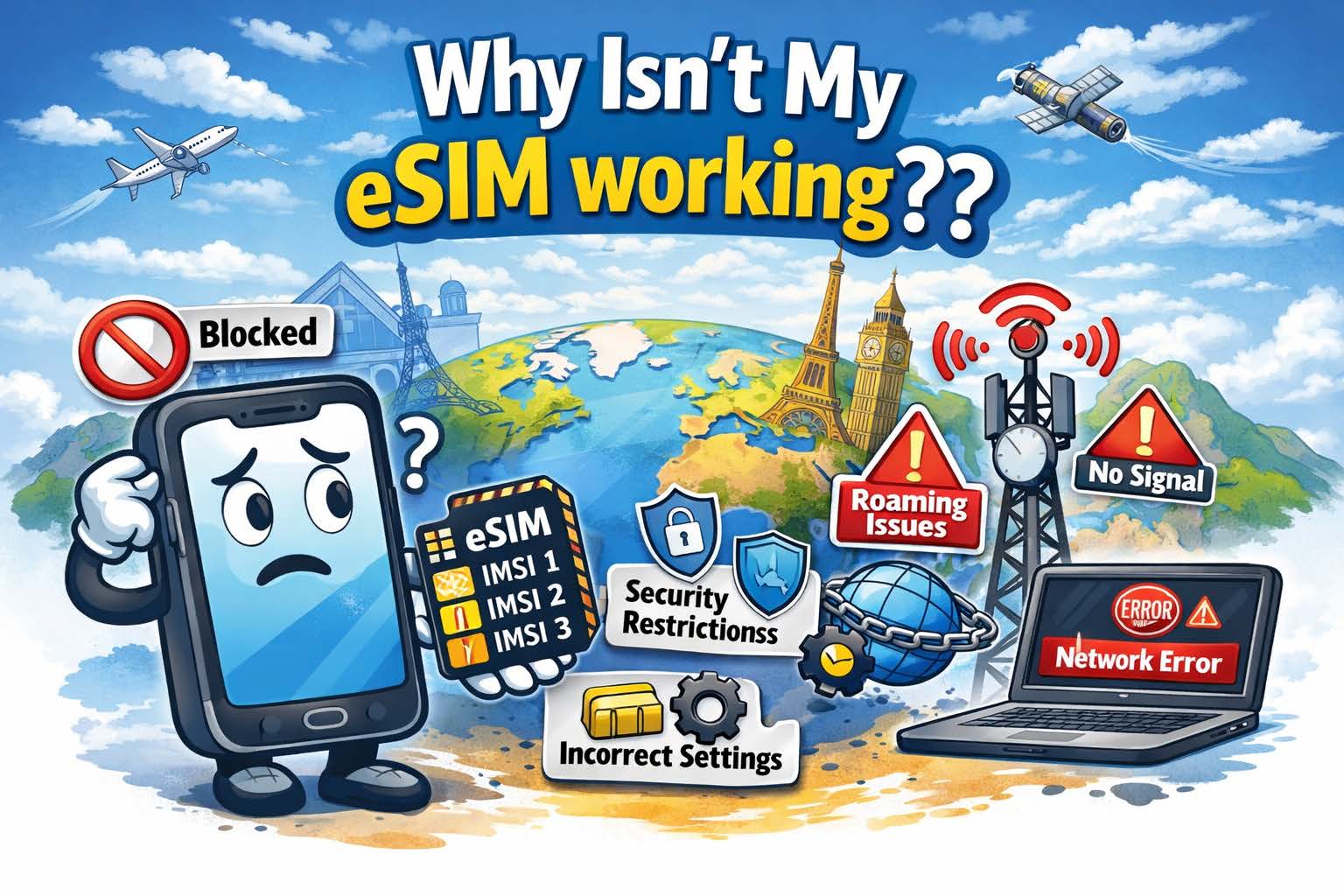
Why Isn’t My eSIM Working??

Why doesn't my eSIM work? There are several reasons
eSIMs and SIMs may not work for several reasons, but these issues are often simple to fix

Introduction

You installed your bright, shiny, new SIM Card or eSIM but, ut oh, it isn’t working!! WHY!!?? What is wrong with my eSIM? As a leading provider of both physical plastic SIM cards and eSIMs for international travel for over 30 years, we get this question a lot. There are a variety of reasons why SIM Cards or eSIMs don’t work in your mobile device when traveling internationally. We will discuss some of the most popular reasons, and, more importantly, the fixes for these problems. Let’s take these step-by-step the same way we do it when a customer contacts us with this problem.

SIM Locked Device

Probably the most popular problem is a very straightforward one, and you won’t even be able to install the SIM card or eSIM if this is the issue. The mobile device is carrier locked and you cannot use another SIM in the device. The easiest way to fix this is to contact your carrier and ask them to unlock the phone (or tablet, etc.). Even if you already paid off the device and there is no contract, you might need to proactively contact the carrier to get them to unlock the device. You will want to do this prior to travel, because you may need to be in the same country that your carrier is from. 32% of the time, this is the issue.

You Don’t Have the Correct Plan or Sufficient Balance on the SIM or eSIM

25% of the Support tickets we receive for a SIM or eSIM not working turns out to be the customer either didn’t buy the proper package for the country they are in, or they don’t have enough balance on the SIM or eSIM to use per-MB data. This is probably the easiest thing to fix, simply add funds to the SIM or purchase a package that allows usage in the country in which you are currently located.

International Roaming Isn’t Enabled

We are only human and some of the obvious things often slip past us! Yes, this is a very common mistake and when you realize this oversight, you will slap your forehead in embarrassment! Even if you aren’t tech savvy, this is a simple fix and we have created how-to videos to enable Data Roaming on both iOS and Android devices. This is a 1 minute fix and may solve your connectivity issue on your device. 17% of the time, this is the problem.

APN is Incorrect

First, what is an APN anyways!? The Telecom industry loves acronyms! APN stands for “Access Point Name.” It, quite literally, is the access point in which the device will run data through to the internet. Think of it as a “doorway to the internet.” Most times, the device will load the correct APN for the SIM card or eSIM you are using, but sometimes your device may not and you need to set it up manually. Don’t fret, just like enabling international roaming, this is an easy fix and only takes a minute.  Here are step-by-step instructions for setting the APN for:

iPhone

Android

IMPORTANT NOTE: The APN discussed in these videos are for our DataMax eSIM card. If you are using a different provider, contact them to get the correct APN for their SIM or eSIM. Having the wrong APN on your device is the problem of no data connectivity 12% of the time.

There Isn’t Any Coverage Where You Are

Believe it or not, this is an issue that does come up. Cellular network providers can’t cover every corner of the world, and they do a cost analysis to determine where and where not to cover. No bars, no data! About 8% of the support tickets we answer turn out that the user is in a very rural area that has no cellular service. Even with our multi-IMSI, multi-carrier SIMs or eSIMs have coverage gaps. Unfortunately, the only way to fix this issue is to move to a place where you can get those coveted bars of service.

Important Note: Not all providers are created equal when it comes to what operators they use in a particular country and how they prioritize the networks they use. This prioritization is done through a PRL (or Preferred Roaming List). They prioritize (or what we call “steer”) traffic to cheaper networks to save money. One possible result of this network steering is that you are forced onto a network with very little service, so data is slow or non-functional. OneSimCard is proud to NEVER steer traffic this way. We allow the device to choose the best available network  for that geographic area. This results in the best possible service for our customers.

Why OneSimCard eSIM Works Better for Travelers

Some eSIM issues come from weak network selection, limited coverage, or poor travel setup design. OneSimCard DataMax eSIM is built to reduce those headaches with global coverage, multiple networks in many destinations, and a more travel-friendly activation experience.

200+ Countries

Stay connected in a wide range of destinations without juggling multiple local SIM cards.

Multiple Networks

Better local network options can help improve reliability when one carrier underperforms.

Fast Activation

Get your eSIM by QR code and install it before you travel, so you land connected instead of hunting for fixes at the airport.

Your Device Isn’t “Rotating the IMSI”

What is an IMSI?? We know, more “jargon!” IMSI stands for “International Mobile Subscriber Identity.” Every SIM card or eSIM has one or multiple IMSI’s installed in the SIM card or eSIM software. The IMSI identifies the subscriber on a mobile network, and it is critical for roaming because it authenticates and manages the subscriber to provide proper routing for data, SMS, etc. There is a scheme to the unique 15 digit IMSI number, but for the purposes of this article, we won’t define that scheme.

Suffice to say, every mobile network operator issues this number to each of their subscribers, and every number is completely unique. The first part of the IMSI identifies who the IMSI belongs to. If an eSIM has multiple IMSI’s installed, the SIM or eSIM is using multiple mobile network operators’ roaming agreements to connect.

Companies like OneSimCard use Multi-IMSI SIMs or eSIMs to get the best price for our customers in a particular country. For example, one of our network partners might offer $0.15/MB in a particular country, where another partner offers $0.10/MB in a particular country. We use the less expensive partner in that country to keep your costs down. To properly find the right IMSI to use in a particular country, the device needs to rotate through the different IMSI’s until it finds the right one.

Some devices, however, don’t “like” Multi-IMSI SIMs and eSIMs because they are incapable of rotating the IMSI. In this case, we guide customers to manually choose the correct IMSI. This happens in 6% of our Support tickets. This may sound difficult, but, like the previous troubleshooting steps above, this is very simple. To manually choose the correct IMSI on a multi-IMSI SIM or eSIM, follow these steps:

  1. Contact your SIM provider and ask what the correct IMSI (partner operator) is for the country you are in.
  2. When you install an eSIM or SIM, there will be a new app installed on your device called “SIM Services.” Open this app.
  3. There will be a choice called “Multi IMSI” Click on this.
  4. On the next screen, click on “Select Mode”
  5. On the next screen, click on “Manual”
  6. On the next screen, there will be several choices. Each one of these choices is a different mobile network operator. Click on the one your operator told you to choose
  7. The app will then go back to the first screen, and you can then exit that app.

Important Note:  You changed the IMSI selection to Manual, if you change countries, the correct IMSI to use may change. You will need to follow the steps above to change the IMSI to the correct one.


Still Having eSIM Trouble?

Skip the connection roulette wheel. Choose a travel eSIM designed for real international use, with wide coverage, multiple networks, and fast setup.


Shop DataMax eSIM


Learn More About eSIM


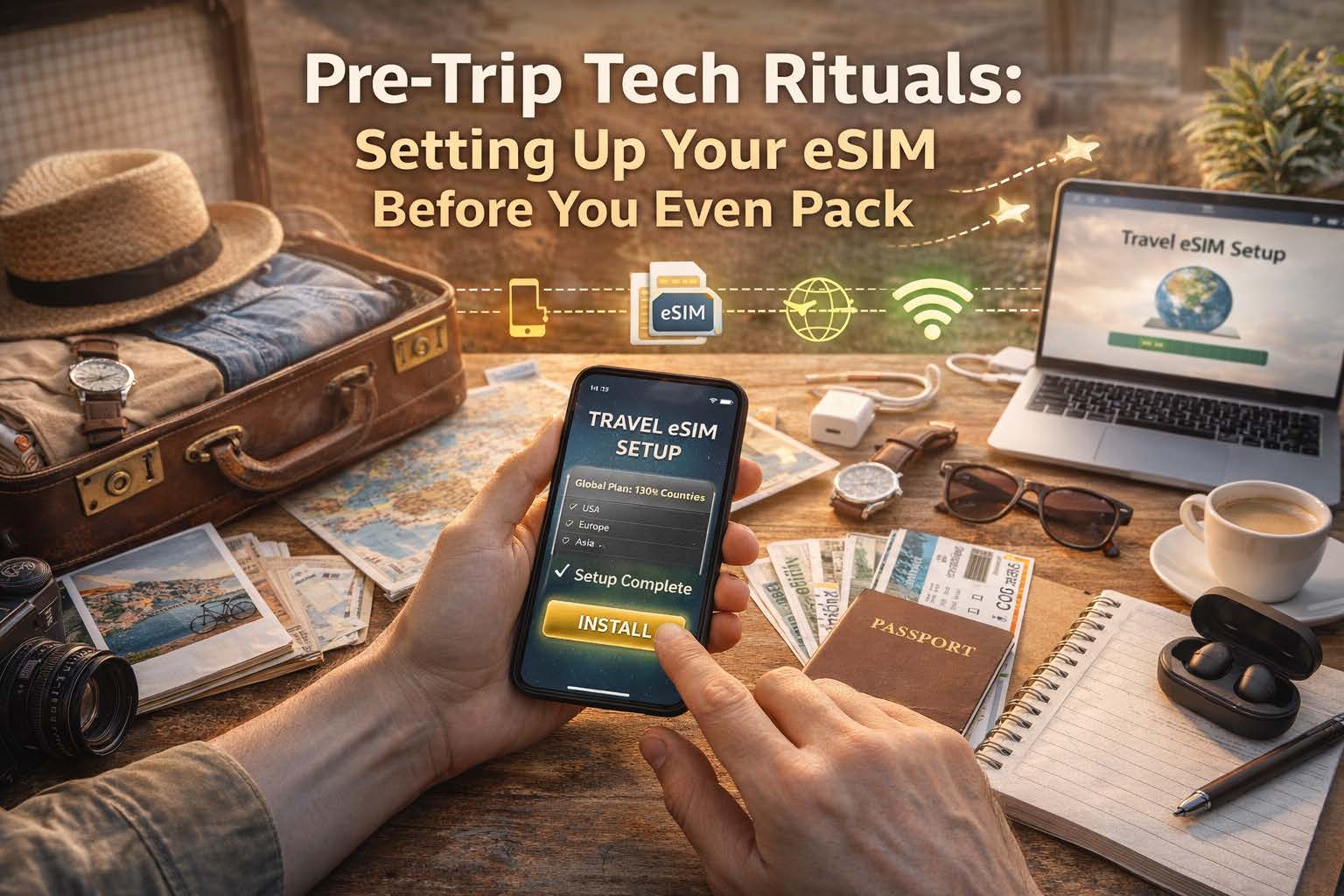
Pre-Trip Tech Rituals: Setting Up Your eSIM Before You Even Pack

Download your eSIM before your vacation

Because the smartest travelers connect before they even zip their suitcase

How to Set Up Your eSIM Before Travel: The Pre-Trip Checklist That Saves You Time

Want your phone to work the moment you land? Set up your eSIM before your trip, test it in advance, and avoid airport SIM card lines, Wi-Fi hunting, and last-minute setup stress.

Quick Answer: When Should You Set Up Your eSIM?

You should set up your eSIM before you travel, while you still have a stable internet connection and time to check your settings. The best time is before you pack, not after you land.

  • Choose the right coverage for your destination
  • Check if your phone is unlocked and eSIM compatible
  • Install the eSIM before departure
  • Set the eSIM as your data line
  • Turn on data roaming if required
  • Test your setup before leaving home

Why Set Up Your eSIM Before You Travel?

The easiest travel day is the one with fewer surprises. When your eSIM is installed and configured before departure, you can land, turn off airplane mode, and get online faster for maps, rides, hotel directions, and messages.

Instead of spending your first hour abroad searching for Wi-Fi or comparing unfamiliar SIM options, you step into the trip already connected.

Pre-Trip eSIM Setup Checklist

Use this checklist before your trip so your travel eSIM is ready when you arrive.

  1. Choose a plan that matches your destination or region
  2. Confirm your phone supports eSIM
  3. Make sure your device is unlocked
  4. Update your phone’s operating system
  5. Purchase and install your eSIM while connected to Wi-Fi
  6. Name the eSIM clearly, such as “Travel Data”
  7. Set the eSIM as the default line for mobile data
  8. Keep your primary SIM active for calls and texts if needed
  9. Enable data roaming on the eSIM profile
  10. Test that the eSIM profile is installed and recognized
  11. Save your QR code or activation details somewhere safe
  12. Double-check coverage for every country on your itinerary

Step 1: Choose the Right eSIM Coverage for Your Trip

Before you install anything, match your eSIM plan to your itinerary. Some travelers need a single-country plan, while others need regional or global coverage for multi-country travel.

  • Single-country plans for longer stays in one destination
  • Regional plans for trips across multiple nearby countries
  • Global plans for maximum flexibility

Think of this as choosing the right plug adapter for your trip. It is a tiny decision that affects everything else.

Step 2: Check Device Compatibility Before You Buy

Not every phone supports eSIM, and not every eSIM-capable phone works the same way in every market. Before travel, confirm these basics:

  • Your phone supports eSIM
  • Your device is unlocked
  • Your operating system is up to date

Step 3: Install Your eSIM Before You Leave

Once you buy your plan, install the eSIM before your departure date while you are on reliable internet. This is usually done by scanning a QR code or following activation instructions sent after purchase.

A clean install at home beats a rushed install in an airport terminal every time.

Step 4: Configure Your Phone for Travel Data

Installing the eSIM is only half the job. To make your arrival seamless, configure your phone before takeoff.

  • Set your eSIM as the default for mobile data
  • Keep your primary SIM active for voice and SMS if you want both lines available
  • Enable data roaming on the eSIM profile
  • Turn off automatic switching if you want tighter control over which line uses data

This is the settings stage where chaos quietly becomes choreography.

Step 5: Test Your eSIM Setup Before the Trip

You may not fully use the plan until you travel, but you can still confirm the setup is ready.

  • The eSIM profile is installed correctly
  • Your phone recognizes the plan
  • The data line and roaming settings are configured properly

Testing before departure trades uncertainty for confidence, which is one of the best pre-trip upgrades you can buy without buying another bag.

Why OneSimCard Makes Pre-Trip Setup Easier

OneSimCard DataMax eSIM is built for travelers who want to be connected before they land, not after they start improvising in baggage claim.

QR Code Delivery

Get your eSIM digitally and install it before the trip instead of waiting to solve connectivity at arrival.

Coverage in 200+ Destinations

Choose coverage that fits single-country vacations, regional travel, or broader international itineraries.

Reusable for Future Trips

Set it up once, travel smarter again later, and make your pre-trip ritual more routine than rescue mission.

Common eSIM Setup Mistakes to Avoid Before Travel

  • Waiting until arrival to install your eSIM
  • Forgetting to enable data roaming on the eSIM profile
  • Leaving your primary SIM as the default data line
  • Skipping the compatibility check
  • Not confirming coverage for every destination on your route
  • Failing to save the QR code or setup details

Most travel eSIM issues start long before the flight. They begin with skipped setup steps at home.

What Happens When You Set Up Your eSIM Early?

Your first minutes after landing become simpler:

  • Maps load faster
  • Rides and transfers are easier to book
  • Hotel directions are ready
  • Messages can be sent immediately
  • You avoid airport kiosk confusion and public Wi-Fi dependency

It is not just about data. It is about arriving with momentum.

Frequently Asked Questions About Setting Up an eSIM Before Travel

Should I install my eSIM before I leave?

Yes. Installing your eSIM before travel gives you time to confirm compatibility, adjust settings, and avoid setup pressure after landing.

When should I activate my travel eSIM?

It depends on the plan, but in general you should install and prepare the eSIM before departure so you are ready to connect as soon as the trip begins.

Do I need to turn on roaming for a travel eSIM?

Many travel eSIMs require data roaming to be enabled on the eSIM profile because they use partner networks abroad.

Can I keep my regular SIM active too?

Yes. Many dual-SIM phones let you keep your primary SIM active for calls and texts while using the eSIM for mobile data. However, it is recommended to disable your home network SIM/eSIM when traveling because you may be automatically charged for travel passes or high roaming fees.

What should I check before boarding?

Make sure the eSIM profile is installed, selected for data, configured properly, and matched to the destinations in your itinerary.

Set Up Your eSIM Before You Pack

Get connected before departure, avoid common setup mistakes, and make your arrival smoother with OneSimCard DataMax eSIM.


Shop DataMax eSIM


Learn More About eSIM

The Cruise Ship Connectivity Myth: What Actually Works at Sea

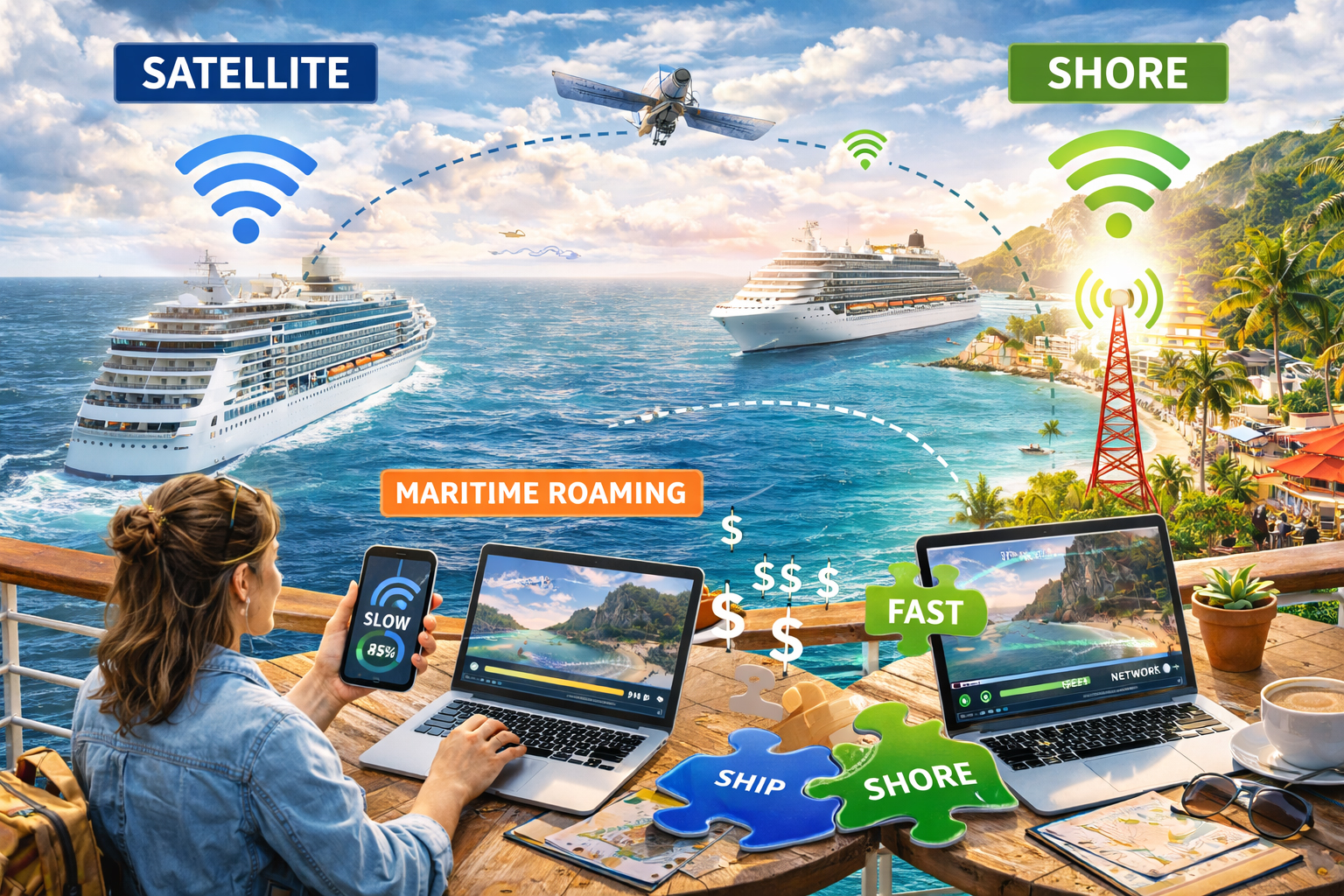
Cruise ship roaming - eSIM vs. Satellite

Shore vs. ship vs. satellite in the great floating signal experiment

Cruise brochures promise infinity pools, endless buffets, and sunsets that look Photoshopped by the gods. What they don’t advertise is the small, blinking question hovering in every modern traveler’s mind:

Will my phone work out here?

There’s a persistent myth that cruise ships are either fully connected marvels of modern engineering or complete digital dead zones. The truth, like the ocean itself, is more nuanced. Connectivity at sea depends on where you are, how far you’ve sailed, and what technology is quietly humming beneath the decks.

Let’s untangle the reality of cruise ship connectivity, from shoreline signal to open-ocean satellite, and explore what actually works when you trade highways for horizons.


The Shoreline Illusion: “It Works Fine at the Port”

Before departure, everything feels normal.

You’re docked in Miami, Barcelona, or Singapore. Your phone shows full bars. Messages send instantly. Maps load. You upload a pre-sail selfie with the ship towering behind you.

Of course it works.

At port, your phone is connected to land-based cellular towers. You’re essentially standing in a coastal city, just with better views and more sunscreen.

This is where many travelers form their first misconception. The signal is strong. The data is fast. So surely it will stay that way once you sail?

Not quite.

The moment the ship pulls away and moves beyond the reach of shoreline towers, your phone begins searching for alternatives.

And that’s where the real story begins.


The Maritime Roaming Surprise

A few miles offshore, your phone may connect to a maritime cellular network. These are specialized systems installed on ships that route calls and data through satellite backhaul.

On your screen, it might look like normal roaming. But behind the scenes, it’s a very different and often very expensive setup.

Maritime roaming can result in:

  • Extremely high per-megabyte charges

  • Surprise fees if your phone connects automatically

  • Slower speeds compared to land-based networks

Many travelers discover this the hard way when they receive a bill that feels more like a yacht payment.

The lesson here is simple: once you’re at sea, your home carrier’s roaming plan may no longer apply the way you expect.


The Ship’s Wi-Fi: Floating but Not Frictionless

Most modern cruise ships offer onboard Wi-Fi packages. These are powered by satellite connections that link the vessel to ground stations thousands of miles away.

Over the past decade, cruise connectivity has improved dramatically. High-throughput satellites and newer low-earth-orbit systems have boosted speeds and reduced latency.

But there are still limits.

Cruise ship Wi-Fi often involves:

  • Tiered pricing plans

  • Bandwidth shared among thousands of passengers

  • Slower speeds during peak hours

  • Restrictions on streaming or video calls

Think of it as a floating café Wi-Fi, but instead of dozens of users, there are thousands.

It works. Just not always perfectly.

For checking email, messaging apps, and light browsing, ship Wi-Fi can be sufficient. For livestreaming sunsets or uploading large video files, patience may be required.


Satellite: The Ocean’s Invisible Lifeline

Out in the open sea, far beyond coastal towers, satellite is king.

Cruise ships rely on satellite constellations orbiting Earth to transmit data back and forth. Signals travel from your device to onboard equipment, then up into space, then back down to ground stations, and finally to the wider internet.

It’s a technological ballet performed at the speed of light.

But physics still applies.

Even with modern advancements, satellite connections can introduce:

  • Higher latency compared to land-based networks

  • Occasional weather-related disruptions

  • Speed fluctuations depending on usage

The good news? Satellite technology is improving rapidly. Some newer ships equipped with advanced satellite systems now offer surprisingly usable speeds for video calls and streaming.

The bad news? You’re still sharing that pipe with everyone else onboard.


Shore Excursions: The Signal Sweet Spot

Here’s where connectivity becomes far simpler.

When your cruise ship docks at ports of call, you’re back within reach of local cellular networks.

Step off the gangway in Cozumel, Dubrovnik, or Nassau, and your phone reconnects to land-based towers.

This is often the most reliable and cost-effective moment to use mobile data, especially if you have a travel eSIM or an international data plan covering that country.

Instead of relying solely on ship Wi-Fi, many savvy travelers:

  • Upload photos and videos while ashore

  • Download maps and entertainment before returning onboard

  • Handle important calls or meetings during port days

Shore time becomes connection time.


What Actually Works at Sea

So what’s the realistic strategy for staying connected on a cruise?

It depends on your goals.

If you want minimal connectivity:
Switch your phone to airplane mode once the ship leaves port. Use onboard Wi-Fi sparingly for messaging or essential communication.

If you need moderate access:
Purchase a cruise Wi-Fi plan that matches your usage. Understand the limits and avoid high-data activities during peak times.

If you plan to work remotely:
Be strategic. Schedule heavy uploads and video calls during port days. Use satellite Wi-Fi onboard for lighter tasks.

If you’re using a travel eSIM:
It will work beautifully in port and coastal areas covered by terrestrial networks. At sea, it won’t replace satellite, but it will resume seamlessly once you dock again.


The Myth of “Disconnected at Sea”

There’s a romantic idea that cruising means unplugging entirely. And while that can be refreshing, the modern reality is more flexible.

You can:

  • Message family from the middle of the ocean

  • Post sunset photos in near real time

  • Check work updates if necessary

  • Navigate shore excursions with confidence

But you cannot expect the same seamless, fiber-fast experience you enjoy on land.

Understanding that difference prevents frustration.


The Nautical Signal Tale

Imagine connectivity at sea as a layered map.

At the coastline, you’re anchored to terrestrial towers. Fast, familiar, predictable.

A few miles out, you drift into maritime roaming territory. Costs can spike. Speeds may vary.

Farther still, satellite becomes your only bridge to the digital world. Powerful, impressive, but shared among many.

Then, like clockwork, you return to port. Land-based signal wraps around your device again, steady and strong.

It’s less a binary on-off switch and more a rhythm. Shore. Ship. Satellite. Shore again.


The Smart Cruiser’s Checklist

Before your next voyage, consider:

  • Disable automatic maritime roaming if your carrier allows it.

  • Review onboard Wi-Fi packages and understand their limitations.

  • Download maps, shows, and work files before departure.

  • Use port days strategically for higher-bandwidth tasks.

  • Consider a travel eSIM that covers your cruise destinations for seamless land connectivity.

Preparation transforms connectivity from a gamble into a plan.


The Real Takeaway

Cruise ships are floating cities. But they are still floating.

Connectivity works at sea, just differently than on land.

The myth isn’t that it’s impossible. It’s that it’s identical to being at home.

It’s not.

It’s slower, shared, satellite-dependent, and wonderfully suspended between worlds.

And maybe that’s part of the magic.

Because while your signal may travel thousands of miles into orbit and back, your view is still the open ocean, stretching endlessly toward the horizon.

Sometimes, that’s worth a slightly slower upload.

Travel Influencers’ Secret Weapon: Why eSIMs Beat Pocket Wi-Fi

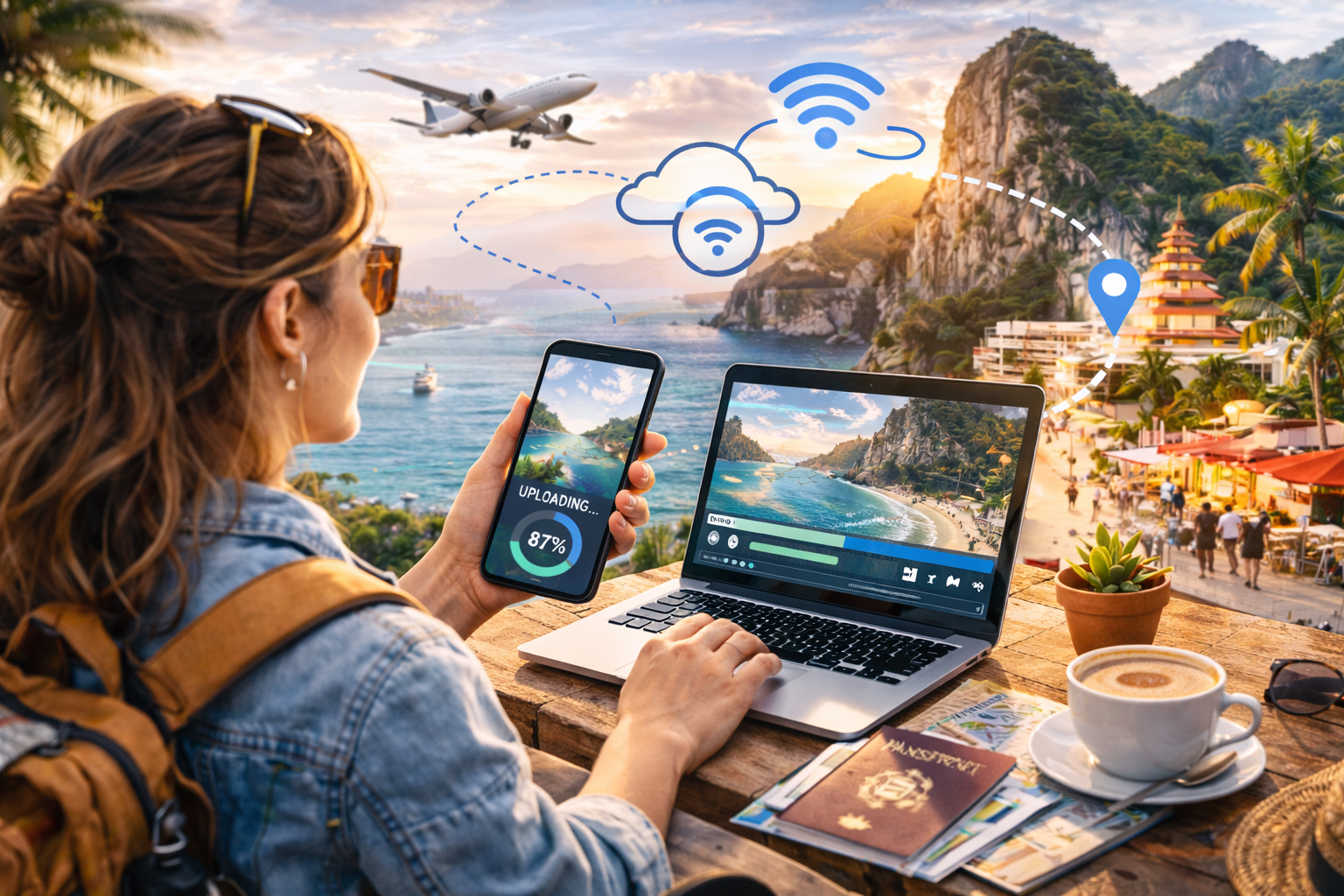
Travel influencer working in a tropical location with her eSIM enabled smartphone connecting her other devices.

How creators stay connected, upload faster, and travel lighter with modern mobile connectivity

Scroll through any travel influencer’s feed and it looks effortless. Sunset reels posted in real time. Drone shots uploaded from mountain viewpoints. Stories shared from trains, taxis, beaches, and bustling city streets.

What you don’t see is the invisible infrastructure behind it all.

Content creation on the road depends on one critical resource: reliable internet. Without it, uploads stall, collaborations lag, and opportunities disappear faster than a golden-hour sunset.

For years, pocket Wi-Fi devices were the go-to solution for international creators. But quietly, a shift has happened. Increasingly, travel influencers are leaving pocket routers behind and switching to travel eSIMs.

Here’s why the smartest creators now consider eSIMs their real travel essential.


The Old Standard: Pocket Wi-Fi Explained

Pocket Wi-Fi devices rose to popularity because they solved a major problem. Instead of paying expensive roaming fees, travelers could rent a small mobile hotspot that connected multiple devices to local cellular networks.

The concept was simple:

  • Carry a small router

  • Turn it on

  • Connect phones and laptops via Wi-Fi

For early digital nomads and creators, it felt revolutionary.

But over time, the downsides started to show, especially for influencers constantly on the move.


Problem #1: One More Thing to Carry

Travel influencers already travel with a surprising amount of gear:

  • Cameras

  • Lenses

  • Drones

  • Microphones

  • Tripods

  • Power banks

  • Laptops

Adding a pocket Wi-Fi device means adding another object that must be charged, packed, tracked, and protected.

An eSIM removes the device entirely.

Your phone becomes the connection.

No extra hardware. No rental pickup. No return shipping. No bulky charger tangled in your bag.

For creators who value mobility, removing friction matters more than adding gadgets.


Problem #2: Battery Anxiety

Pocket Wi-Fi devices run on their own batteries. And they rarely last a full creator day.

Imagine this scenario:
You’re filming all afternoon, navigating a new city, uploading clips, and messaging collaborators. Suddenly, the hotspot battery dies.

Now every connected device loses internet at once.

With an eSIM, connectivity lives inside your smartphone, which already has optimized battery management and portable charging solutions. One device to power instead of two.

Less juggling. Less stress.


Problem #3: Airport Logistics

Pocket Wi-Fi rentals often require pickup counters or shipping arrangements.

That means:

  • Waiting in airport lines

  • Finding return drop boxes

  • Paying late fees if travel plans change

Influencers thrive on flexibility. Plans shift constantly.

An eSIM activates digitally. Many creators install their data plan before departure and connect instantly when landing.

The difference feels small until you arrive after a long flight and walk straight past the rental counters while everyone else waits.


Problem #4: Upload Speed and Stability

Creators don’t just browse. They upload.

High-resolution photos, reels, and videos require consistent speeds. Pocket Wi-Fi devices typically rely on a single local network, which may slow down during congestion.

Many travel eSIMs support multiple partner networks. Your device connects to the strongest available signal automatically.

For influencers, this translates into:

  • Faster uploads

  • Fewer dropped livestreams

  • Reliable posting schedules

Consistency matters when algorithms reward timing.


The Creator Workflow Advantage

Modern travel influencers operate like mobile production studios.

A typical day might include:

  • Shooting footage in the morning

  • Editing during transit

  • Uploading content before peak engagement hours

  • Responding to brand messages in real time

An eSIM fits naturally into this workflow because connectivity follows the creator, not the device.

No reconnecting networks, or sharing passwords, or resetting routers.

Just open the phone and work.


Multi-Country Travel Without Resetting Everything

Influencers rarely stay in one place.

A Europe trip might include five countries in ten days. A Southeast Asia tour might involve weekly flights.

Pocket Wi-Fi devices often require new rentals or regional limitations.

Travel eSIMs, on the other hand, can provide multi-country coverage under a single plan. As creators cross borders, their connection continues seamlessly.

No setup interruption means no content interruption.

And in the creator economy, consistency equals visibility.


The Livestream Test

Nothing exposes weak connectivity faster than livestreaming.

Viewers expect smooth video and instant interaction. Buffering or dropped streams can hurt engagement and credibility.

Because eSIM connections use native cellular data directly on the phone, latency is often lower than routing traffic through an external hotspot.

The result:

  • Cleaner livestreams

  • Better audio sync

  • More reliable audience interaction

For influencers building communities, this is a major advantage.


Security Matters More Than You Think

Public Wi-Fi networks remain risky for creators managing accounts, payments, and brand partnerships.

Pocket Wi-Fi reduces reliance on public networks, but eSIM connections go a step further by keeping data directly on encrypted cellular networks tied to your device.

That means safer access to:

  • Social media accounts

  • Cloud storage

  • Banking apps

  • Business communications

Behind the scenes, this protection matters as much as speed.


Cost Predictability for Long Trips

Pocket Wi-Fi rentals often charge daily rates. Over a long trip, costs add up quickly, especially if travel dates change.

eSIM plans are typically prepaid data packages. Creators know exactly how much data they have and how long it lasts.

No surprise invoices arriving after the trip.

Predictability helps influencers manage travel budgets and campaign expenses more accurately.


The Invisible Upgrade

The biggest reason influencers are switching isn’t just performance or cost.

It’s simplicity.

Technology works best when it disappears into the background. The less time creators spend managing connectivity, the more time they spend creating.

An eSIM doesn’t feel like gear. It feels like freedom.

Freedom to:

  • Post instantly

  • Navigate confidently

  • Collaborate globally

  • Travel spontaneously

All without carrying extra equipment.


Why Influencers Are Moving On from Pocket Wi-Fi

Pocket Wi-Fi solved yesterday’s travel problem. eSIMs solve today’s.

Feature Pocket Wi-Fi Travel eSIM
Extra device required Yes No
Battery management Separate Phone only
Airport pickup needed Often No
Multi-country travel Limited Seamless
Instant activation No Yes
Creator mobility Medium High

For modern travelers and digital creators, fewer steps mean better experiences.


The Real Secret Weapon

Travel influencers succeed by capturing moments as they happen. The window between experience and sharing keeps shrinking.

The creators who win are the ones who stay connected everywhere, without interruption.

That’s why eSIMs have quietly become the new standard among experienced travelers.

Not flashy. Not obvious. Just reliable.

And sometimes, the most powerful travel tool isn’t the camera in your bag or the drone in your backpack.

It’s the signal that never disappears when you need it most

OneSimCard NEVER throttles data, even for other connected devices via mobile hotspot. This makes us different from many of our competitors that limit hotspot usage and throttle data speeds after a few GB.

No Bars, No Panic: Travel Survival Stories Powered by eSIMs

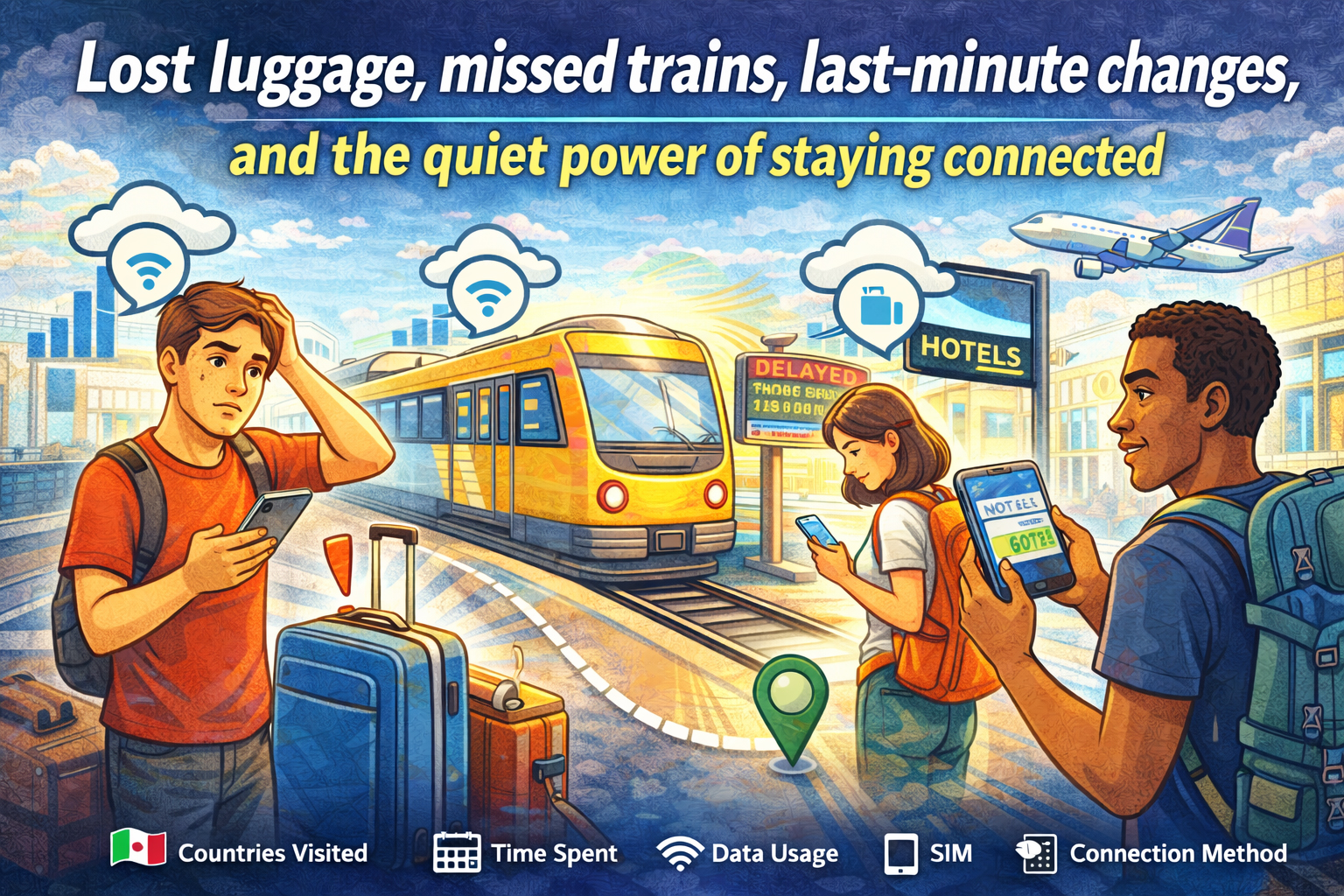
Lost luggage, missed trains, last-minute changes, and the quiet power of staying connected - travelers solving travel issues with eSIM

Lost luggage, missed trains, last-minute changes, and the quiet power of staying connected

Every traveler collects stories. Some are about beautiful views, incredible meals, and unexpected friendships. Others begin with a sinking feeling. A missed train. A lost bag. A canceled flight. A street sign you can’t read.

In those moments, the difference between stress and control often comes down to one simple thing: cellular signal.

There was a time when being overseas meant being temporarily unreachable. No maps, no ride apps, no instant help. Today, connectivity travels with you. And for many modern travelers, an eSIM has quietly become the difference between chaos and calm.

These are the kinds of real-world survival stories that play out every day. Not dramatic enough for headlines. But important enough to shape how a trip unfolds.

And in each one, a simple data connection turns panic into a plan.


The Missed Train That Didn’t Ruin the Trip

It happens fast. A late taxi. A long line for coffee. One wrong platform. Suddenly, the train you planned your day around is pulling away without you.

You’re in a country where you don’t speak the language, and the station boards flicker with destinations you don’t recognize.

In the past, this moment meant finding an information desk and hoping someone could help. Now, it’s a different kind of response.

Phone out. Data on.

Within minutes:

  • A new route is found on a maps app

  • A later train is booked online

  • A message goes out to the hotel about the delayed arrival

Instead of standing still, you’re moving again. A missed train becomes a detour instead of a disaster.

This is where an eSIM shines. Because your connection doesn’t depend on finding Wi-Fi in a crowded station. It’s already there, ready the moment plans change.


The Lost Luggage That Still Found Its Way Home

Standing at the baggage carousel while it spins and empties is a special kind of suspense. Everyone else leaves. The belt stops. Your bag is nowhere in sight.

Now what?

Without a connection, the process can feel slow and uncertain. But with reliable data, the next steps happen quickly.

Airline apps track the missing bag. Claim forms get filled out online. The hotel address gets sent directly to the airline. Notifications arrive when the bag is located and on its way.

You can even check nearby stores, order a few essentials, and get through the first night without your things.

Luggage gets lost. It’s part of travel. But staying connected means you’re never left guessing what happens next.


The Night Arrival in an Unfamiliar City

Landing in a new country after dark is always a little disorienting. The streets look different. The language sounds different. Even the signs feel unfamiliar.

Now imagine your hotel is across town, public transit is limited at night, and the taxi stand is crowded.

This is when a smartphone becomes your lifeline.

With data ready to go, you can:

  • Open a rideshare app and request a pickup

  • Double-check the hotel address

  • Share your location with someone back home

  • Translate directions if needed

Instead of wandering, you move with purpose. Instead of uncertainty, there’s a clear path from airport to door.

The difference is quiet but powerful. You don’t have to think about whether your phone will connect. It just does.


The Wrong Turn That Turned Into a Better Day

Some of the best travel memories begin with a wrong turn.

But in the moment, it doesn’t feel romantic. You’re in a neighborhood you don’t recognize. The street names don’t match your map. And you’re not sure which way leads back.

This is where instant access to navigation makes all the difference.

With mobile data:

  • You reorient in seconds

  • You find the nearest transit stop

  • You discover a café or landmark you never planned to see

Getting lost stops being stressful and starts becoming part of the experience.

A strong connection doesn’t just help you get un-lost. It helps you explore with confidence.


The Last-Minute Hotel Change

Flights get delayed. Connections get missed. Sometimes the hotel you planned to reach just isn’t reachable anymore.

Instead of arriving exhausted and searching for help, travelers with a steady connection can solve the problem on the spot.

Book a nearby room.
Check reviews.
Confirm availability.
Get directions instantly.

In the space of a few minutes, the night is back on track.

Without signal, this becomes a much longer, more complicated process. With signal, it’s just another quick adjustment.


The Emergency Call Home

Not every travel story is about inconvenience. Sometimes, things get serious.

A sudden illness. A stolen wallet. A situation where you need to reach someone quickly.

In those moments, being connected matters in a deeper way.

You can:

  • Call home through an app like OneSim VoIP

  • Contact your bank immediately

  • Find the nearest clinic or pharmacy

  • Access translation tools to explain what’s happening

It’s not just about data. It’s about reassurance. The ability to reach help, to explain, to solve problems as they happen.

And often, that connection starts the moment your plane lands, thanks to a travel eSIM already installed and ready to work. And with OneSim VoIP you can access SMS and voice. The best thing about OneSim VoIP is that, unlike other VoIP Apps, both sides don’t need to have the app, you can even call landlines!


The Work Emergency Abroad

For digital nomads and business travelers, the stakes can be even higher.

An urgent email arrives. A client needs a file. A meeting time changes.

When work travels with you, connectivity isn’t optional.

With reliable mobile data, you can:

  • Join a video call from a taxi

  • Send files from a train platform

  • Respond to urgent messages without searching for Wi-Fi

The trip continues, but your responsibilities stay in motion too.

And because an eSIM keeps you connected across countries, you don’t have to think about whether your data will work at the next stop.


The Confidence Factor

All of these moments have one thing in common.

They start with uncertainty. And they end with a solution powered by connection.

That’s the real value of staying connected while traveling. Not just the convenience, but the confidence.

Confidence to try new places.
Confidence to change plans.
Confidence to handle the unexpected.

Because you know that if something goes wrong, your phone is more than a camera. It’s your map, your translator, your booking desk, your safety net.


From “No Bars” to No Panic

The phrase “no bars” used to mean isolation. Silence. Waiting.

Today, the goal is simple: avoid that moment altogether.

A travel eSIM helps make that possible by giving you:

  • Instant connectivity when you land

  • Coverage across multiple countries

  • No need to swap physical SIM cards

  • Reliable access to data when you need it most

It doesn’t make problems disappear. But it makes them manageable.

And that’s the difference between panic and problem-solving.


Travel Will Always Be Unpredictable

That’s part of the magic.

Trains run late. Bags get lost. Plans change. Streets twist. Weather shifts.

But modern travel comes with tools that help you adapt as quickly as the world changes around you.

The ability to pull out your phone and find a solution in seconds can turn the worst moments into stories you laugh about later.

Stories that begin with a problem.
And end with a signal.

Because sometimes, survival on the road doesn’t come from planning every detail.

It comes from knowing that wherever you are, you’re still connected.

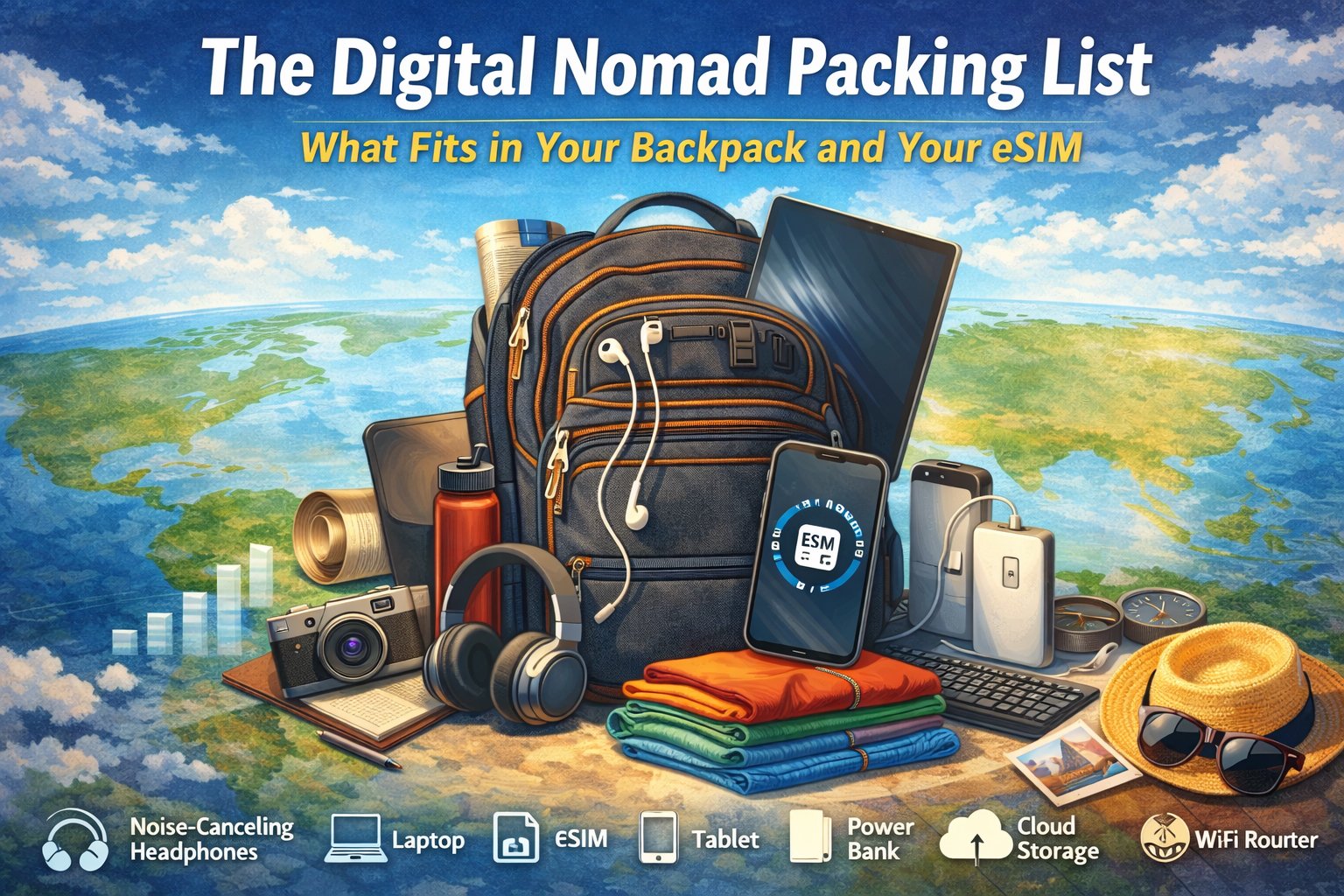
The Digital Nomad Packing List: What Fits in Your Backpack and Your eSIM

Image showing a backpack an the items needed for a digital nomad including international eSIM

How Modern Remote Workers Travel Light Without Leaving Their Connection Behind

There was a time when “working remotely” meant finding a café with decent Wi-Fi and guarding your laptop like a dragon sitting on a hoard. Today, the digital nomad carries an office in a backpack and a global network in a phone.

The real magic isn’t just what you pack. It’s what you don’t have to.

No plastic SIM cards in tiny envelopes, sticky notes with roaming rates, or scavenger hunts for mobile shops in unfamiliar cities. Instead, there’s a quiet, invisible companion traveling with you: a travel eSIM that connects your digital life across borders as easily as you zip your backpack shut.

So what actually fits in the modern nomad’s loadout? Let’s unpack the gear you can touch and the connection you can’t see.


The Backpack: Your Mobile Headquarters

Every nomad starts with a bag. Not just a backpack, but a command center with shoulder straps.

1. Laptop: The Heart of the Operation

Lightweight, durable, and powerful enough to juggle video calls, cloud apps, and creative work. Many nomads swear by ultrabooks or slim laptops that won’t turn your carry-on into a dumbbell.

Pro tip: Choose a model with long battery life. Outlets are rare in transit zones, and “just five more minutes” often turns into an hour.

2. Tablet or E-Reader: The Flexible Sidekick

Perfect for reading, sketching, or presenting without opening the full laptop. It also doubles as a second screen for productivity setups in co-working spaces.

3. Noise-Canceling Headphones

Your portable bubble. Whether you’re working in a hostel lounge, an airport gate, or a beachside café with a live band you didn’t order, silence is a productivity superpower.


⚡ The Power Kit: Energy Is Currency

A dead device is a disconnected device. And for a remote worker, that’s the same as being offline in the Stone Age.

4. Universal Travel Adapter

One plug to rule them all. Europe, Asia, the Americas. Your charger shouldn’t care where you are.

5. High-Capacity Power Bank

For long travel days, remote towns, or that one café with beautiful coffee and zero outlets.

6. Multi-Cable Charging Kit

One cable for your phone, tablet, headphones, and power bank. Less clutter. More space for snacks.


‍ The Work Zone: Building an Office Anywhere

Digital nomads don’t look for desks. They create them.

7. Compact Laptop Stand

Elevates your screen, saves your neck, and instantly turns a café table into a mini workstation.

️ 8. Foldable Keyboard and Mouse

Small tools, big comfort. Your wrists will thank you after week three.

9. Notebook and Pen

Yes, analog still exists. For ideas, sketches, or that one moment when your battery hits zero and inspiration hits 100.


The Connectivity Core: Your eSIM

This is the item you don’t physically pack, but you feel its presence every day.

A travel eSIM is the invisible layer of your backpack. It doesn’t take space, doesn’t add weight, and doesn’t get lost in airport security trays. But it does something no piece of gear can: it follows you across countries without changing form.

✅ What Makes eSIMs a Nomad Essential?

  • Instant activation: Download before you land. Connect when you touch down.
  • Multi-country coverage: One profile, many borders.
  • No physical SIM swaps: Your phone stays sealed. Your focus stays sharp.
  • Predictable costs: No roaming surprises waiting at the end of the month.

Instead of packing SIM cards for every destination, you pack one digital key that opens networks around the world.

Related: Explore OneSimCard eSIM plans


The Day-to-Day Tools: Living on the Move

10. Smartphone: The Remote Control for Reality

Maps, translation, banking, booking, communication, and your hotspot when Wi-Fi fails. With a travel eSIM, it becomes your personal network hub.

11. Portable Wi-Fi (Optional)

Some nomads carry a pocket router for connecting multiple devices. Others simply hotspot from their phone. With a strong eSIM data plan, your phone becomes the router.

☁️ 12. Cloud Storage

Your digital filing cabinet in the sky. Sync files, back up photos, and share work without worrying about what device you’re using today.


The Lifestyle Layer: Comfort Is Productivity

13. Lightweight Clothing System

Quick-dry shirts, neutral colors, and layers. The less you pack, the easier it is to move when your next destination calls.

14. Reusable Water Bottle

Staying hydrated is a productivity hack disguised as a travel accessory.

15. Minimal First Aid and Wellness Kit

Headaches, sore muscles, jet lag. Small fixes, big impact.


️ Why Connectivity Changes Everything

Here’s the quiet truth of nomad life: your work doesn’t stop when your passport gets stamped.

Clients still message. Deadlines still exist. Meetings still happen. The difference between stress and flow often comes down to how fast and how reliably you can connect.

With a travel eSIM, your phone becomes a bridge instead of a barrier.

  • Upload work from a train crossing borders
  • ️ Join video calls from a mountain town
  • Navigate a new city without hunting for Wi-Fi
  • Book your next stay while checking out of the last one

Your backpack carries your tools. Your eSIM carries your world.


Packing Less, Connecting More

Digital nomads are masters of subtraction. Every trip teaches you what you don’t need.

  • ❌ A drawer full of local SIM cards
  • ❌ Instructions in five languages
  • ❌ Roaming plans that read like legal contracts

You need one connection that adapts as fast as you do.

That’s the elegance of modern travel connectivity. It disappears into the background, letting your work, your journey, and your experiences take center stage.


✅ Ready to Build Your Nomad Loadout?

Whether you’re planning a month abroad or a year without a home base, your connectivity should be as flexible as your itinerary.

A travel eSIM lets you stay online, stay productive, and stay light without carrying the world in your pockets.

Tip: Most phones support dual SIM (physical SIM + eSIM), so you can keep calls/texts on your main line while using your eSIM for data abroad.

The Signal Map: Following Your eSIM’s Journey Across 7 Countries in 7 Days

7 countries in 7 days signal map showing the journey of an eSIM across international boardersHow a Digital Passport Stamp Trail Keeps You Connected Across Borders

There’s a certain poetry in watching your phone light up with a new network the moment your train glides across an invisible line on the map. No customs booth. No plastic SIM tray. Just a soft click of connectivity, like a passport being stamped by satellites in the sky.

This is the story of a week on the move and the quiet companion that never left my side: an international travel eSIM. Seven countries. Seven days. One digital thread of signal tying it all together.

Welcome to the Signal Map.


Day 1: France — A Café, a Croissant, and Full Bars

The journey begins in Paris, where the morning smells like espresso and possibility. I step off the RER at Saint-Michel, and before I can even look up at Notre Dame, my phone vibrates.

Network connected.

No searching for a SIM shop. No fumbling with tiny metal pins. My eSIM simply slides into place, invisible and ready.

Maps load. Messages send. The first photo of the trip uploads before the croissant cools. It feels less like “getting connected” and more like never disconnecting at all.

This is what a modern travel eSIM promises: connectivity that moves as fast as you do.

Day 2: Belgium — Border Crossings Without the Buffering Wheel

The high-speed train hums north toward Brussels. Somewhere between the fields and the forests, the phone does its quiet magic again. One network fades. Another steps forward.

No alerts. No interruption.

I test it the only way that matters. I refresh my navigation app while standing under the glass ceiling of Brussels-Central. The blue dot doesn’t blink. It just keeps going.

For travelers who cross borders by train, car, or ferry, this is where eSIMs shine. They don’t wait for you to “arrive.” They travel with you, handing off connections like a relay runner passing the baton.

Day 3: Netherlands — Canals, Cloud Storage, and Constant Uptime

Amsterdam greets me with bicycles, boats, and an internet connection that feels as smooth as the water in the canals.

This is a day for photos. Lots of them.

I shoot, edit, and upload in real time. Cloud backups hum quietly in the background. There’s no mental math about how much data is left or whether I should wait for Wi-Fi. The city becomes a canvas, and my phone becomes a live broadcasting station.

For digital nomads and creators, this kind of always-on data isn’t a luxury. It’s infrastructure.

Day 4: Germany — From Autobahn to Underground Signal

Berlin is a city of layers. History above ground. Subways below.

I test the eSIM where most connections stumble: underground. On the U-Bahn platform, messages still send. A rideshare loads before I hit the street.

Behind the scenes, this is where multi-network support and intelligent routing matter. Your eSIM isn’t loyal to just one carrier. It looks for the strongest signal and takes it, like a traveler choosing the fastest line at airport security.

The result feels simple. The technology behind it is anything but.

Day 5: Austria — Mountains, Maps, and the Edge of Coverage

The train climbs into the Alps, and the scenery starts to outpace the infrastructure. Snow-capped peaks. Long tunnels. Small villages.

This is the real test.

At a mountain stop near Innsbruck, I step out and refresh my map. It loads. Slowly, but steadily.

This is where a travel eSIM becomes more than a convenience. It becomes a safety net. Navigation, translation, emergency calls, weather updates. In remote places, connection isn’t about posting photos. It’s about knowing where you are and how to get back.

Day 6: Italy — Roaming Without the Roaming Fees

Florence feels like walking into a painting. It also feels like walking into a tourist trap for expensive data roaming.

Except nothing changes.

I stream a short video overlooking the Arno. I book a last-minute museum ticket. I video call home from a crowded piazza.

The difference is invisible, but the impact is real. No surprise charges. No locked SIMs. Just a predictable, prepaid connection that behaves the same way it did in Paris.

Consistency is the real luxury of global connectivity.

Day 7: Switzerland — The Signal Becomes a Souvenir
The final stop is Zurich. Clean streets. Quiet trams. A phone that’s been connected longer than some travel companions.

I scroll back through the week’s photos and realize something: the eSIM has its own kind of travel diary. A trail of networks. A map of countries visited, not by stamps in a passport, but by silent handshakes between towers and satellites.

This is what travel looks like now. Not just where you go, but how seamlessly you stay in touch with everywhere else.


eSIM vs. Roaming vs. Local SIM: Quick Comparison

Option Setup Time Cost Predictability Best For
Travel eSIM Minutes High Multi-country trips, instant data
International Roaming Instant Low Short trips (with caution)
Local Physical SIM 30–90 minutes Medium Single-country stays

What This Journey Really Shows

Seven countries in seven days isn’t about speed. It’s about continuity.

A modern travel eSIM turns borders into soft edges instead of hard stops. It replaces the old ritual of hunting for local SIM cards, guessing at compatibility, and worrying about costs.

  • Instant activation before or after you land
  • Multi-country coverage under a single profile
  • No physical SIM swaps or lost trays
  • Predictable pricing without surprise roaming fees
  • Reliable performance in cities and remote areas alike

Turning Your Phone Into a Passport

Your passport gets stamped at borders. Your eSIM gets “stamped” by networks.

Each country leaves a trace. A different carrier. A different signal signature. A different backdrop for the same, steady connection.

The best travel technology doesn’t announce itself. It simply walks with you, country to country, day to day, like a shadow made of signal bars.


Ready to Draw Your Own Signal Map?

If you’re planning a multi-country journey, a travel eSIM can be the difference between managing your trip and enjoying it.

Instead of packing plastic SIM cards, paper instructions, and backup plans, pack one digital connection that moves as freely as you do.

Tip: Want to keep your primary number active? Most phones support dual SIM (physical SIM + eSIM), so you can keep calls/texts on your main line while using your eSIM for data abroad.

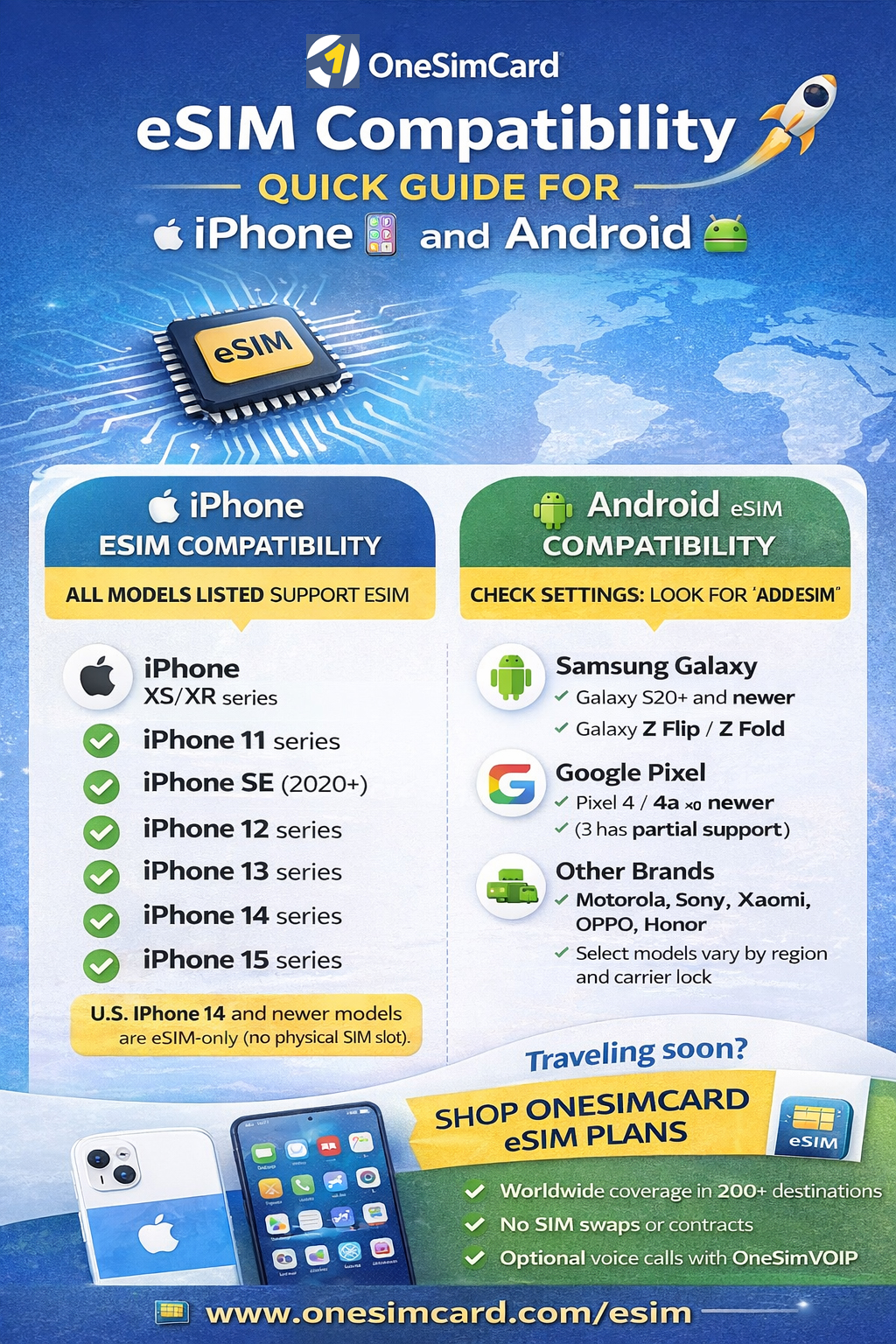
The Complete eSIM Compatibility Guide for iPhone and Android

eSIM Compatible devices infographic

Covering major brands and models (and what travelers should check before they fly)

eSIM technology has moved from “nice-to-have” to “standard feature” on modern smartphones, especially for travelers.
If you’re planning to use a travel eSIM, the first question is simple:
Does your phone support eSIM?

This guide covers which iPhones and Android devices support eSIM, how to confirm compatibility in seconds,
and what to watch for with regional variants and carrier restrictions. If you’re traveling soon, you’ll also find setup tips
to help you connect quickly with a OneSimCard eSIM.

Traveler shortcut: If you see “Add eSIM” (iPhone) or “Add eSIM / SIM Manager” (Android) in Settings, your phone is almost certainly eSIM-compatible.

What Is eSIM and Why Compatibility Matters

An eSIM (embedded SIM) is a digital SIM built into your phone’s hardware. Instead of inserting a plastic SIM card,
you download a mobile plan using a QR code or activation link. For travelers, this means faster setup, easier switching between plans,
and no fragile SIM trays to deal with at 2 a.m. in an airport.

Compatibility matters because not every phone supports eSIM, and some models support it only in certain countries or carrier versions.
Confirming compatibility before purchase avoids the most common travel connectivity headache: “I bought a plan… but my phone can’t install it.”

Quick Comparison Table (At-a-Glance)

Device family eSIM support What travelers should know
iPhone (XS/XR and newer) Yes on modern models U.S. iPhone 14+ are eSIM-only. Most newer iPhones support dual SIM (physical + eSIM or dual eSIM).
Samsung Galaxy (S20+ and newer; Z Flip/Fold) Usually yes Some carrier-locked or regional variants may disable eSIM. Unlocked models are best for travel.
Google Pixel (Pixel 4 and newer) Yes Pixels are among the most travel-friendly for eSIM. Great for switching plans and quick activation.
Other Android brands (Motorola/Sony/Xiaomi/OPPO/Honor) Model & region dependent Check Settings for “Add eSIM” and verify your exact model variant (some regions omit eSIM).

iOS iPhone eSIM Compatibility Guide

Apple adopted eSIM early, and today nearly all modern iPhones support eSIM.
If you’re traveling with an iPhone XS/XR or newer, you’re in good shape.

✅ iPhones that support eSIM

  • iPhone XS / XS Max
  • iPhone XR
  • iPhone 11 / 11 Pro / 11 Pro Max
  • iPhone SE (2nd gen and newer)
  • iPhone 12 / mini / Pro / Pro Max
  • iPhone 13 / mini / Pro / Pro Max
  • iPhone 14 / Plus / Pro / Pro Max
  • iPhone 15 / Plus / Pro / Pro Max (and newer)

Key iPhone notes for travelers

  • U.S. iPhone 14+ models are eSIM-only (no physical SIM tray).
  • Most newer iPhones support dual SIM (physical + eSIM or dual eSIM, depending on model).
  • You can store multiple eSIM profiles and switch plans as needed.

Android Android eSIM Compatibility (Major Brands)

Samsung Galaxy eSIM support

Many Samsung flagship devices support eSIM, including the Galaxy S and Z series. Keep in mind that carrier-locked or region-specific variants can sometimes restrict eSIM functionality.

  • Galaxy S20 / S20+ / S20 Ultra (varies by region)
  • Galaxy S21 / S22 / S23 / S24 series
  • Galaxy Z Flip and Z Fold series (Flip3+ / Fold2+)

Google Pixel eSIM support

Pixel phones are among the most eSIM-friendly Android devices, making them excellent for international travel.

  • Pixel 4 and newer (including 4a/5/6/7/8 families)
  • Pixel 3/3 XL: partial support (model dependent)

Other Android brands (model dependent)

  • Motorola: select Razr and Edge models
  • Sony Xperia: select newer models
  • Xiaomi / OPPO / Honor: select flagships (regional availability varies)
  • Huawei: select models (note: Google services may be limited)

Regional Differences and Carrier Locks

Even if your phone model supports eSIM, regional variants can change what you actually get.
Some devices sold in certain markets may include dual physical SIM slots and no eSIM support.
Additionally, carrier-locked phones can restrict eSIM installation or block non-carrier profiles.

For the best travel experience, use an unlocked phone. If you’re unsure,
check with your carrier before you travel.

✅ How to Check eSIM Compatibility in Less than a Minute

iPhone

  1. Open Settings
  2. Tap Cellular (or Mobile Data)
  3. Look for Add eSIM or Add Cellular Plan

Android

  1. Open Settings
  2. Tap Network & Internet or Connections
  3. Look for SIM Manager / Add eSIM

Bonus check: On many Android phones, dial *#06#. If an EID is displayed, your device supports eSIM.

✈️ Best Practices Before You Travel

  • Install your eSIM on Wi-Fi before you depart.
  • Enable Data Roaming on the eSIM line when abroad (this is normal for travel eSIMs).
  • Keep your QR code/activation details saved securely (treat it like a password).
  • Update your phone OS to the latest version for best network performance and eSIM stability.

Why OneSimCard is Perfect for Travelers

Once you confirm compatibility, the next step is choosing a travel eSIM that fits your itinerary.
OneSimCard is built for international travelers who want simple activation and reliable global coverage.

  • Coverage in 200+ destinations
  • Flexible plans designed for travel (short trips to long stays)
  • Option to add voice via the OneSim VoIP app

Ready to get connected?

Shop OneSimCard eSIM plans
and activate in minutes.

Related reading: Travel eSIM tips & guides

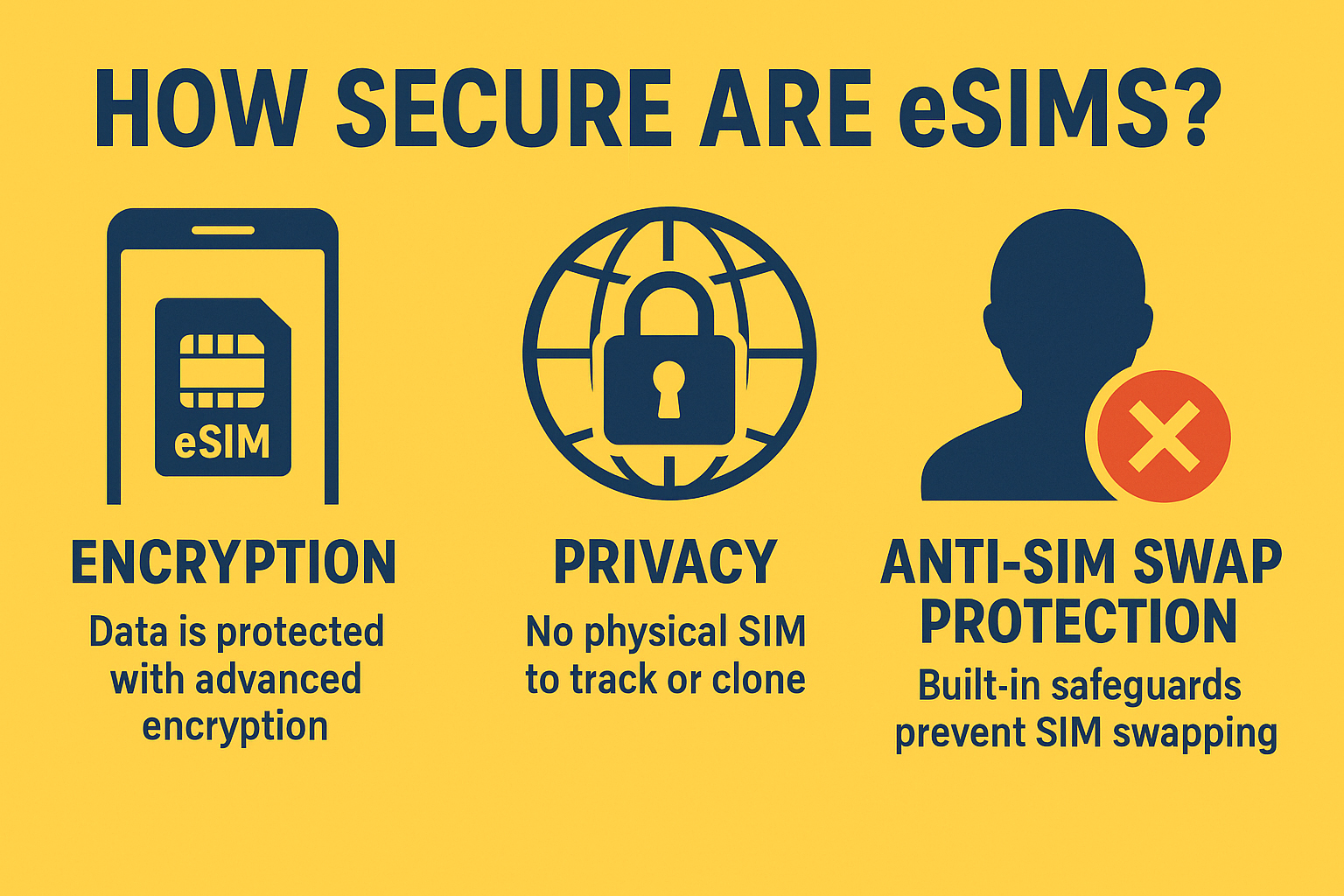
How Secure Are eSIMs? What Every Traveler Should Know

How secure are eSIMs?

Privacy, Encryption, and SIM Swapping Myths — Explained

As travelers continue switching from plastic SIM cards to digital eSIMs, one question comes up again and again: “Are eSIMs secure?”

The short answer: Yes — eSIMs are not only secure, they’re significantly safer than traditional SIM cards.

But like any digital tool, understanding how eSIM security works — and what threats to look out for — is essential, especially for travelers moving between countries, Wi-Fi networks, and mobile carriers.

This guide breaks down the privacy protections, encryption technology, and myths surrounding eSIMs so you can travel smarter and stay connected with confidence.


What Is an eSIM, and Why Is It More Secure?

An eSIM (embedded SIM) is a rewritable chip built directly into your smartphone, tablet, or IoT device. Unlike a removable SIM card, an eSIM can’t be physically swapped, stolen, or cloned without your knowledge.

Instead of inserting a chip, you download a secure digital profile from your carrier or provider — like OneSimCard — and activate it instantly.

Why That Matters for Security

  • No physical access: Thieves can’t remove or replace your eSIM like a traditional SIM.

  • Encrypted provisioning: Each eSIM profile is delivered over an encrypted connection, verified by the device’s secure element.

  • Tamper-resistant hardware: eSIMs live inside a protected chip that’s isolated from the operating system, reducing the risk of malware access.

  • Carrier-verified identities: Every eSIM profile comes with a digital signature that ensures authenticity.

Essentially, an eSIM eliminates the most common source of SIM fraud — physical manipulation.


Encryption: How eSIMs Keep Your Data Private

Every time your phone connects to a network, the eSIM uses advanced encryption and mutual authentication to verify both your device and the carrier’s system.

Here’s what that means in plain English:

  1. Mutual authentication ensures that only legitimate networks can communicate with your device — and vice versa.

  2. 128-bit or higher encryption scrambles your mobile identity and data so that it’s unreadable to outsiders.

  3. Remote profile management happens through secure carrier channels, protected by digital certificates.

So, even if you’re on a public airport Wi-Fi or connecting through roaming networks abroad, your mobile identity and data remain encrypted.


️‍ Myth #1: “eSIMs Make You Easier to Track”
This is a common misconception, but eSIMs do not make you more traceable than physical SIMs.

Mobile carriers always require an identifier (IMSI) to route calls and data — that’s true for both SIM and eSIM devices. What changes with eSIM is control:

  • You can switch providers instantly without disclosing new personal data to multiple stores or resellers.

  • OneSimCard’s eSIMs use multiple international identities, minimizing the sharing of your real number across borders.

  • Because there’s no physical SIM, third-party data brokers or thieves can’t clone or read your SIM details.

In fact, many privacy-focused travelers prefer eSIMs because they reduce the number of entities handling your data.


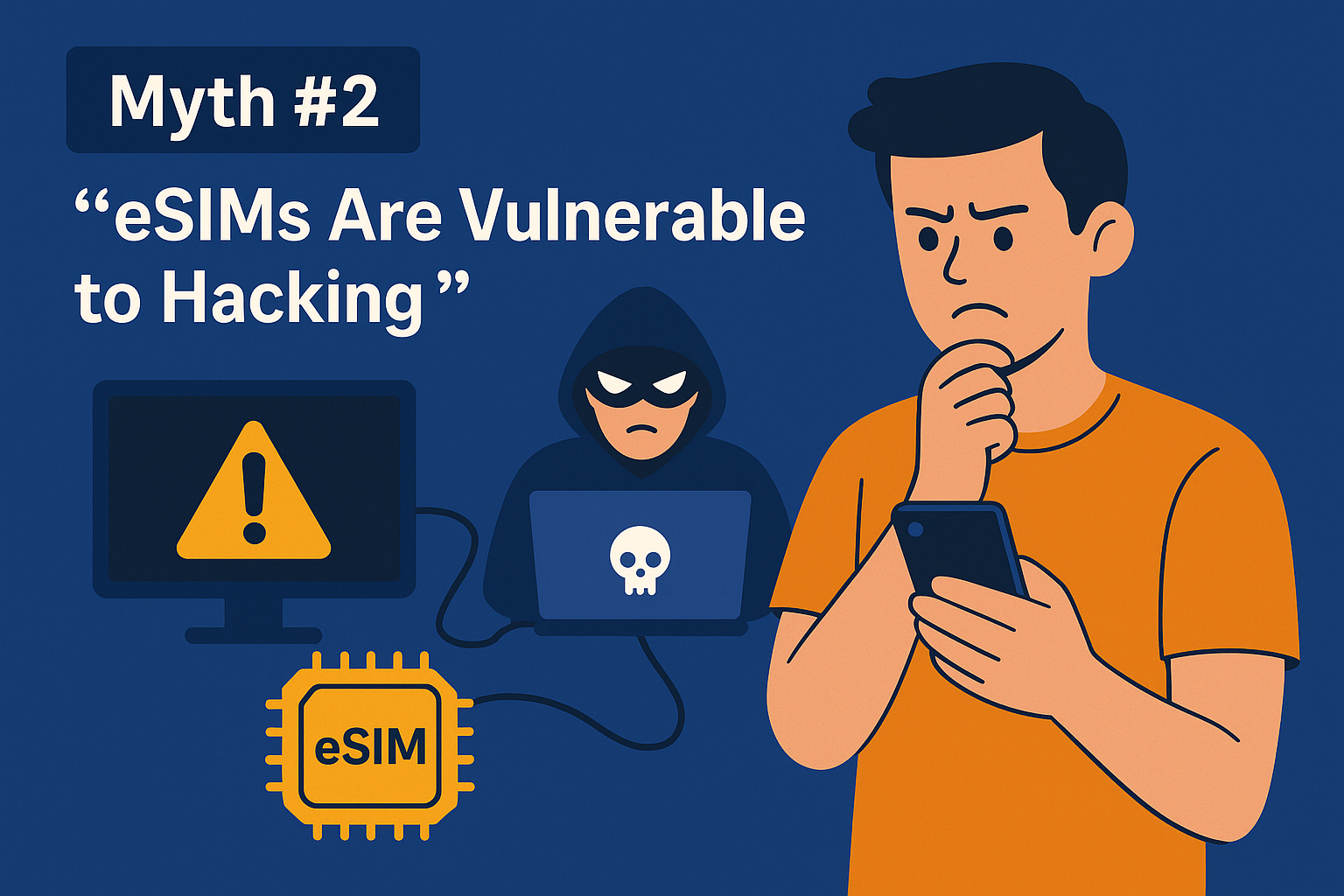
Myth #2: “eSIMs Are Vulnerable to Hacking”
In reality, eSIMs have more layers of security than removable SIMs.

Traditional SIMs can be cloned, stolen, or compromised via phishing. eSIMs, by contrast, require several things to go wrong simultaneously:

  • Physical access to your device

  • Device passcode bypass

  • Carrier authentication override (protected by certificates)

Each of these layers includes encryption and identity verification, making successful attacks extremely unlikely.

To date, there are no known large-scale eSIM hacks. By design, eSIMs comply with stringent GSMA security standards — the same framework used by global carriers and banks for digital authentication.


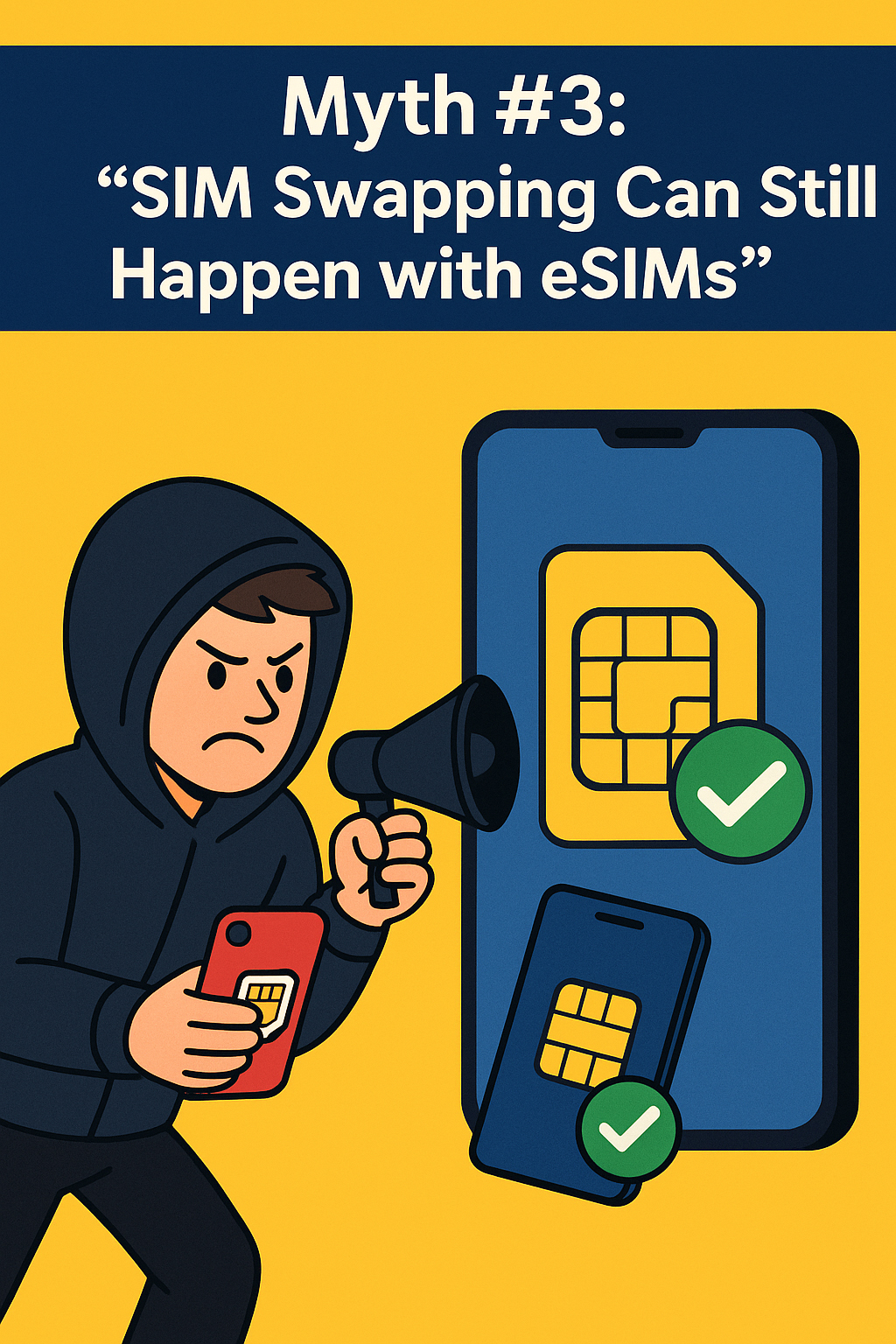
Myth #3: “SIM Swapping Can Still Happen with eSIMs”
SIM swapping — where hackers trick a carrier into transferring your number to their SIM — has become a serious problem in recent years.

However, eSIM technology dramatically reduces that risk.

Here’s why:

  • Carriers use multi-factor verification before transferring eSIM profiles.

  • Every eSIM installation must be authorized from your device, often requiring biometrics or a passcode.

  • Profiles can’t be downloaded or duplicated without your device’s unique identifier (EID).

In other words, even if a hacker convinces a carrier to create a new eSIM profile, they’d still need your phone’s secure hardware to activate it.

For travelers, this means your mobile identity is safer in digital form than plastic form.


Real-World Travel Scenarios: How eSIMs Protect You

✈️ Airport SIM Swaps — Eliminated

In the past, travelers had to buy local SIMs from kiosks, handing over passports and personal info. eSIMs remove that exposure — everything happens securely online through trusted providers like OneSimCard.

Public Wi-Fi Attacks — Minimized

When you connect via eSIM, your cellular data bypasses unencrypted Wi-Fi risks entirely. That’s critical when checking banking apps or booking flights from airports and hotels.

Lost or Stolen Phones

Even if someone steals your device, your eSIM can’t be removed and resold. You can remotely disable or wipe the profile using Apple’s “Find My” or Android’s “Find My Device.”

Cross-Border Roaming

With OneSimCard’s multi-network redundancy, your eSIM automatically connects to the most secure available partner — no need to switch SIMs or trust local vendors.


How eSIMs Handle Personal Data

All eSIM provisioning is governed by GSMA’s Remote SIM Provisioning (RSP) standard, which defines exactly how your profile is created, stored, and deleted.

Key security principles include:

  • End-to-end encryption: No one — not even the carrier — can view your actual authentication keys.

  • Secure profile storage: eSIM data lives inside a hardware-based “secure enclave,” isolated from apps or system files.

  • Controlled access: Only authorized carriers can send updates or delete profiles.

When you delete a OneSimCard eSIM profile, the system erases it from both your device and the carrier database — no lingering data remains.


Traveler Tips for Maximum eSIM Security

Even with built-in protections, good digital hygiene goes a long way:

  1. Use a reputable provider — Stick with established brands like OneSimCard that comply with GSMA and GDPR privacy regulations.

  2. Lock your device — Enable biometric login (Face ID, fingerprint, or PIN).

  3. Don’t share your QR code — Treat your eSIM activation code like a password.

  4. Update regularly — Keep your phone’s OS current to ensure the latest security patches.

  5. Avoid sketchy networks — Rely on your eSIM’s cellular data instead of public Wi-Fi when handling sensitive info.


The Bottom Line: eSIMs Are Safer Than Traditional SIMs

For travelers, eSIMs are a leap forward in both convenience and protection. The combination of hardware-level encryption, remote management, and tamper-proof provisioning makes them a powerful shield against modern threats like SIM swapping, phishing, and data theft.

When you travel with a OneSimCard eSIM, your connectivity is not just global — it’s secure by design. You control your data, your identity, and your network access from anywhere in the world.


✅ Final Takeaway

Are eSIMs secure? Absolutely.
Are they safer than traditional SIMs? Without a doubt.

For travelers who value privacy and peace of mind, an eSIM offers the most secure way to stay connected across borders.


Stay Secure — Stay Connected

Your journey shouldn’t come with security compromises.

Activate your OneSimCard eSIM today and enjoy global data, privacy, and confidence — wherever you roam.

Get Your Secure OneSimCard eSIM Now

How to Choose the Right eSIM Plan: Pay-As-You-Go vs. Data Packages

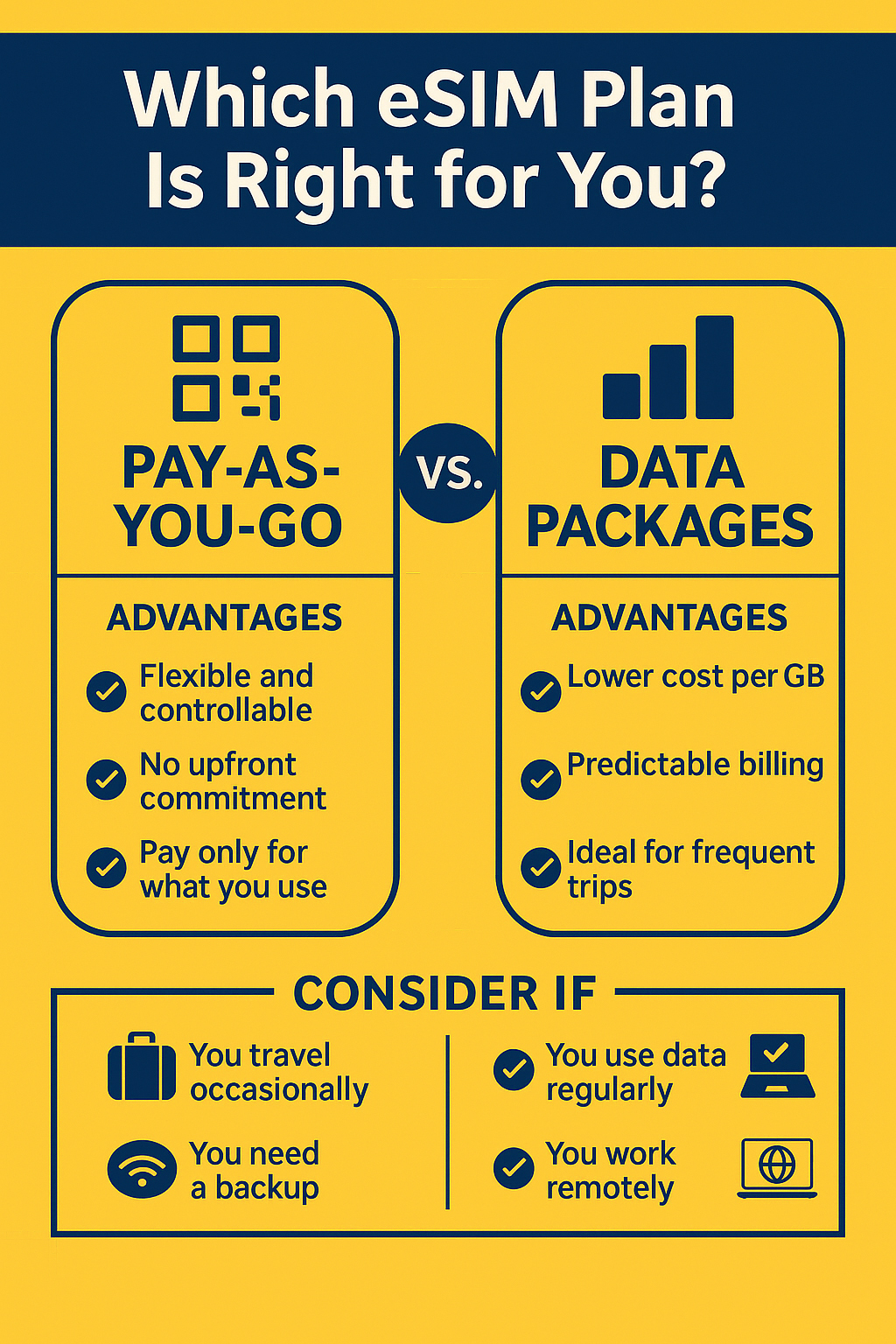
Pay-As-You-Go vs Data Package infographic for eSIM

Choosing the right travel eSIM plan can make or break your international trip. Whether you’re a weekend wanderer, a digital nomad, or a frequent flyer, your connectivity needs will differ — and so will your costs.

The two main models travelers encounter are pay-as-you-go eSIMs and prepaid data packages. Each has advantages depending on how often and how much you use data while abroad. Let’s break them down so you can make an informed decision and save money on your next journey.


Understanding eSIM Plan Pricing Models

Before you can compare eSIM data plans, it’s important to understand the three main pricing structures used by global eSIM providers.

Pay-As-You-Go Explained

With a pay-as-you-go (PAYG) eSIM, you only pay for the data you actually use. There’s no upfront commitment or monthly fee — perfect if your data needs vary from one trip to another. You can top up at any time, and your balance simply decreases as you consume data.

Advantages:

  • Great for short trips or uncertain usage

  • No wasted data or expiration pressure

  • Ideal backup for emergencies or secondary devices

Considerations:

  • Typically higher per-GB cost than bulk data plans

  • Requires active monitoring of your balance, or OneSimCard’s convenient auto-recharge option.

Prepaid Data Packages

These data packages are sold in specific sizes — for example, 1GB, 5GB, or 10GB bundles that expire after a set time (usually 7, 14, or 30 days). You pay upfront, and the eSIM provides consistent data speeds and coverage.

Advantages:

  • Much Lower cost per GB

  • Predictable spending

  • Simple to manage for longer stays

Considerations:

  • Unused data expires

  • You may need to top up before the plan ends

Subscription-Based Models

Some providers now offer monthly eSIM subscriptions, charging a flat fee for ongoing data access in one or more regions. These appeal to frequent travelers, but they often come with fixed limits or auto-renewal requirements.


✈️ When Pay-As-You-Go eSIM Plan Makes Sense

For certain travelers, PAYG eSIMs are the smartest and most flexible option.

Occasional Travelers

If you take just a few international trips a year, it doesn’t make sense to commit to recurring plans. PAYG lets you stay connected during short vacations or weekend getaways without pre-paying for unused data.

Light Data Users

Some travelers rely mostly on hotel Wi-Fi and only need mobile data for maps or ride-hailing apps. PAYG plans are perfect here — you pay a little, use a little, and avoid waste.

Backup Connectivity

Even if you primarily rely on local SIM cards or Wi-Fi, having a PAYG eSIM installed ensures you’re never stranded without data when crossing borders or losing signal from your primary SIM.

In short, PAYG equals control — perfect for those who value flexibility over volume.


When a Data Package eSIM Plan Is Better

If you’re abroad frequently or use your phone as a mobile office, data packages are the more cost-effective solution.

Long-Term Travelers and Expats

For anyone staying abroad for weeks or months, prepaid eSIM packages offer stable pricing and dependable connectivity. You can easily renew the same plan or switch to another country’s bundle through your eSIM portal.

Business Travelers

Professionals need reliability and predictability. Data packages eliminate surprise top-ups, offering a steady stream of data for email, video calls, and navigation without running out mid-meeting.

Digital Nomads and Remote Workers

If you’re working from Lisbon one week and Bali the next, having a regional eSIM plan ensures coverage across multiple countries at a flat rate. This helps simplify billing and guarantees network consistency for streaming, uploading, and video conferencing.


How to Compare Costs Between eSIM Providers

With so many global eSIM brands competing for travelers’ attention, it’s worth learning how to do an eSIM pricing comparison properly.

Example Pricing Overview (1GB in Europe)

Provider 1GB Validity Approx. Cost
OneSimCard eSIM $4.50 14 days Multi-network access
Airalo $7.50 7 days Single-network coverage
Holafly $19 Unlimited High upfront cost
Nomad $8 30 days Regional
Ubigi $9 30 days Auto top-up required

(Pricing as of 2025 – subject to change)

Effective Cost per GB

To evaluate the true value, divide your plan cost by its duration and total data. For example, a 5GB / 30-day plan for $25 costs $5 per GB, which may outperform a cheaper plan that expires after 7 days.

Look beyond the sticker price. Factors like coverage, speed, and network redundancy matter just as much as cost.


Why OneSimCard Offers the Best Balance

Choosing between pay-as-you-go and data packages doesn’t have to be all or nothing — with OneSimCard, you can mix and match both.

  • Transparent pricing: No hidden fees, surcharges, or forced subscriptions.

  • OneSimVoIP app: Add optional voice and SMS to any eSIM data plan.

  • Customizable bundles: Buy what you need — whether it’s 500MB for a weekend or 20GB for a month-long project.

  • Global reliability: Multi-network access in 200+ countries ensures your connection never drops mid-journey.

With OneSimCard, you’re not tied to a single plan type — your eSIM adapts to your travel lifestyle.


Find the Right Plan for Your Trip

Whether you’re a casual vacationer or a full-time remote worker, understanding travel eSIM plans helps you stay connected without overspending.

Pay-as-you-go gives flexibility and control; data packages offer predictable value and stability. With OneSimCard, you get the best of both worlds — coverage, clarity, and cost efficiency.

Find the Right Plan for Your Trip — Activate Your OneSimCard eSIM Now!